I earn commissions when you sign up or buy through the affiliate links on this page, at no extra cost to you.
Homelab · Alternative · By Mohammed Almuhanna · Updated
Self-Hosted Google Photos Alternative: Immich
I moved off Google Photos onto Immich on my own server, and nothing has tempted me back. Most self-hosted apps are a downgrade you tolerate for the principle. Immich is the one that actually feels as good as the thing it replaces. The timeline is fast, the face and object search is real, and the phone auto-backup just works. If you already run a server at home, adding it is close to free and you should do it. If you would be buying hardware from scratch to save a few dollars a month, read the cost section before you spend anything.
Short version, run Immich
Run Immich. It is the closest thing to a drop-in Google Photos replacement, it is improving fast, and the mobile apps back up automatically without you babysitting them. Know two things going in. It ships updates often, so you keep up with them instead of installing it once and forgetting it. And the machine-learning search wants real hardware to feel instant. The line falls here. If you have under 15 GB of photos and you sit on the free Google tier, self-hosting is not worth your time. If you already pay for Google One and you run a box at home, the switch takes an afternoon and it pays for itself fast.
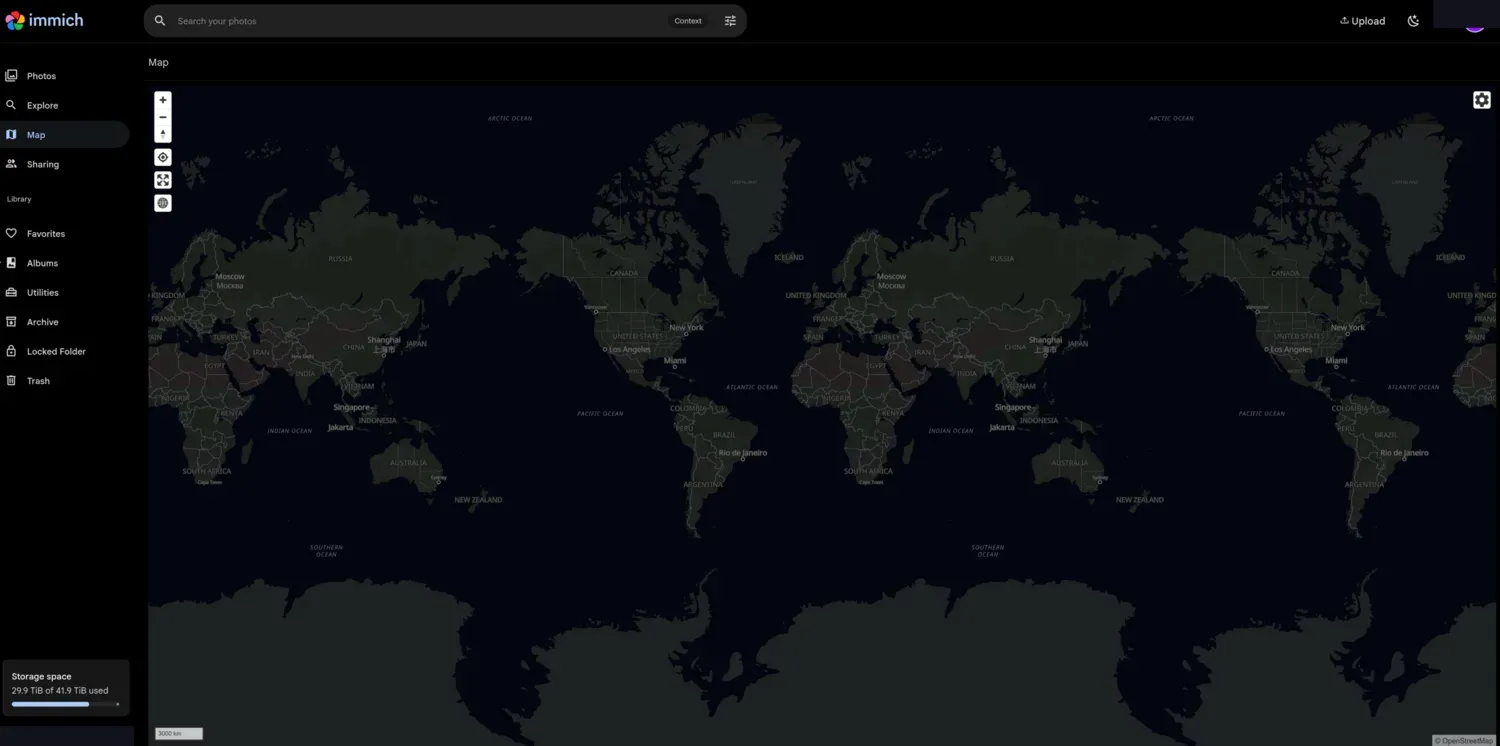
What you are actually replacing
Name what Google Photos does well first, because that is the bar your replacement has to clear. It backs up every photo from your phone automatically. It searches by face and by content, so "show me the beach photos" actually works. It dedupes and organizes without you thinking about it. And it shares albums with people who do not have an account. Any replacement has to cover auto-backup and search or it is a downgrade, full stop. The storage is the easy part. What you are really paying Google for is the search and the phone sync that you never have to think about.
Immich, and the runners-up
Immich
Immich gives you a Google-Photos-style timeline, mobile apps for iOS and Android with background auto-backup, and machine-learning search for faces and objects that runs entirely on your own hardware. I run it in Docker on my Proxmox box, on the VM that has the RTX 3080 passed through, so the machine learning has a real GPU to work with, and my photos live on my Synology over the network. With the GPU doing the work, the face recognition and search indexing fly. What you sign up for is the release cadence. Immich ships often, and a major version will occasionally need a database migration step, so you do not get to ignore updates for months. I keep mine current and skim the release notes before big jumps. That is the price of how fast it improves, and I am fine paying it.
PhotoPrism, the steadier option
PhotoPrism is the calmer alternative. It moves slower, updates less often, and leans on AI tagging that works without a GPU. The trade is that its mobile backup is weaker than Immich's, and the interface feels more like a library tool than a phone-camera replacement. Pick it only if you want stability more than you want the polished phone experience. For most people that is the wrong trade, and Immich is the answer.
Ente, if you would rather not run hardware
Ente is open source and self-hostable, but most people use its paid hosted plan. It is the pragmatic pick for someone who wants end-to-end encryption and the open-source ethos without running a server. If you came here to get off subscriptions entirely, Ente is a half-step. You are still paying someone a monthly fee, just a better someone.
The box it runs on
Immich runs on modest hardware and a GPU is optional. The machine learning, the face and object recognition, is the only heavy part, and it runs fine on a plain CPU. It is just slower on the first big indexing pass. Storage is the real planning question. Budget your raw photo size plus roughly 20 to 40 percent for the thumbnails and previews Immich generates.
| Setup | RAM | Reality |
|---|---|---|
| Raspberry Pi 5 / SBC | 8 GB | Fine for a small library. The first ML indexing pass is slow, hours to a day on CPU. Day-to-day browsing is fine once it finishes. |
| N100 mini PC | 16 GB | The sweet spot for most people. CPU machine learning is comfortable, the timeline is snappy, idle power is low. |
| NAS or server (with optional GPU) | 16 GB+ | My box. A passed-through GPU makes ML indexing and search near-instant. Overkill for a small library, the right call for a large one. |
To size the disks for your library and your redundancy level, use the storage calculator. To see what the box costs you in electricity, use the homelab power calculator.
Immich against a Google One bill
Google One is 9.99 dollars a month for 2 TB, which is 360 dollars over three years. If you already run a 24/7 server, Immich costs you a couple of watts and maybe one more drive. It costs almost nothing to run and you are ahead within months. If you are buying hardware purely to host photos, the upfront cost pushes break-even out a year or two, so run your own numbers instead of trusting a blanket claim. I built a tool for this. The self-hosting vs SaaS cost calculator, prefilled with the Google One price gives you the break-even point and the total over time for your own situation.
Getting your library out of Google
Getting your library out of Google is the annoying part. You export with Google Takeout, which hands you a pile of zip files plus separate JSON sidecar files holding the real dates and locations. Immich reads those sidecars and restores the metadata, but the export takes a while for a large library, and the import plus the first machine-learning pass runs for hours, longer on CPU-only hardware. Kick it off overnight and leave it alone.
After that the ongoing burden is real but small. Immich updates often, so plan on a few minutes every few weeks to pull the new version and skim the release notes, plus the occasional major version that wants a migration step. The other real cost is that you are now the support desk. If it breaks, there is no Google to call, just the docs and a good community. If your power is unreliable, put the box on a UPS so an outage does not interrupt a backup. See what size UPS you need.
When to stay on Google Photos
Skip Immich and stay on Google Photos if any of these is you. Your library fits the free tier and you pay nothing today. You are not comfortable running a Docker container and reading the occasional release note. Or you have no always-on hardware and no interest in buying any. Self-hosting trades a monthly fee for your time and attention. That trade only pays off if you already enjoy running a server, or you are handing Google enough money that the savings are real.
Common questions
Is Immich a true Google Photos replacement?
For backup, timeline, and face and object search, yes. It is the closest of any self-hosted option. The one gap is shared albums with non-technical people, which Google still does more smoothly.
Do I need a GPU for Immich?
No. The machine learning runs on a plain CPU, just slower on the first big indexing pass. A GPU makes search and face recognition near-instant, which matters for a large library but is not required. I use one because I already had it in the box.
How much storage do I need?
Plan for your raw photo and video size plus roughly 20 to 40 percent for the thumbnails and previews Immich generates. Size your array with the storage calculator.
Is it safe to trust my only photo copy to Immich?
No, and the same is true of any single system, Google included. Immich is not a backup on its own. Keep a separate backup of the photo files, with one copy offsite. Self-hosting your library does not get you out of the 3-2-1 backup rule.
What breaks, and where do I get help?
The most common friction is a major version update that needs a migration step. There is no support line, but the documentation is good and the community is active and quick. Read the release notes before large version jumps.
Google Photos and Google One are trademarks of Google LLC. Dalil Tech is not affiliated with or endorsed by it.