I earn commissions when you sign up or buy through the affiliate links on this page, at no extra cost to you.
Homelab · Alternative · By Mohammed Almuhanna · Updated
Self-Hosted Dropbox Alternative: Nextcloud
My files live on my own hardware and sync to every machine I use, the way Dropbox always did, except I own the box they sit on. That is what Nextcloud gives me, and I have OnlyOffice wired into it so I can edit documents in the browser without handing them to anyone. It also does calendar, contacts, and notes if you want one hub for the lot. It is the heaviest thing in my self-hosted set. Run it if you want one self-hosted place for your files and the apps around them. If all you actually want is files synced between machines, the lighter tools below do that one job faster, and I would point you at them instead.
Owning the files, keeping the sync
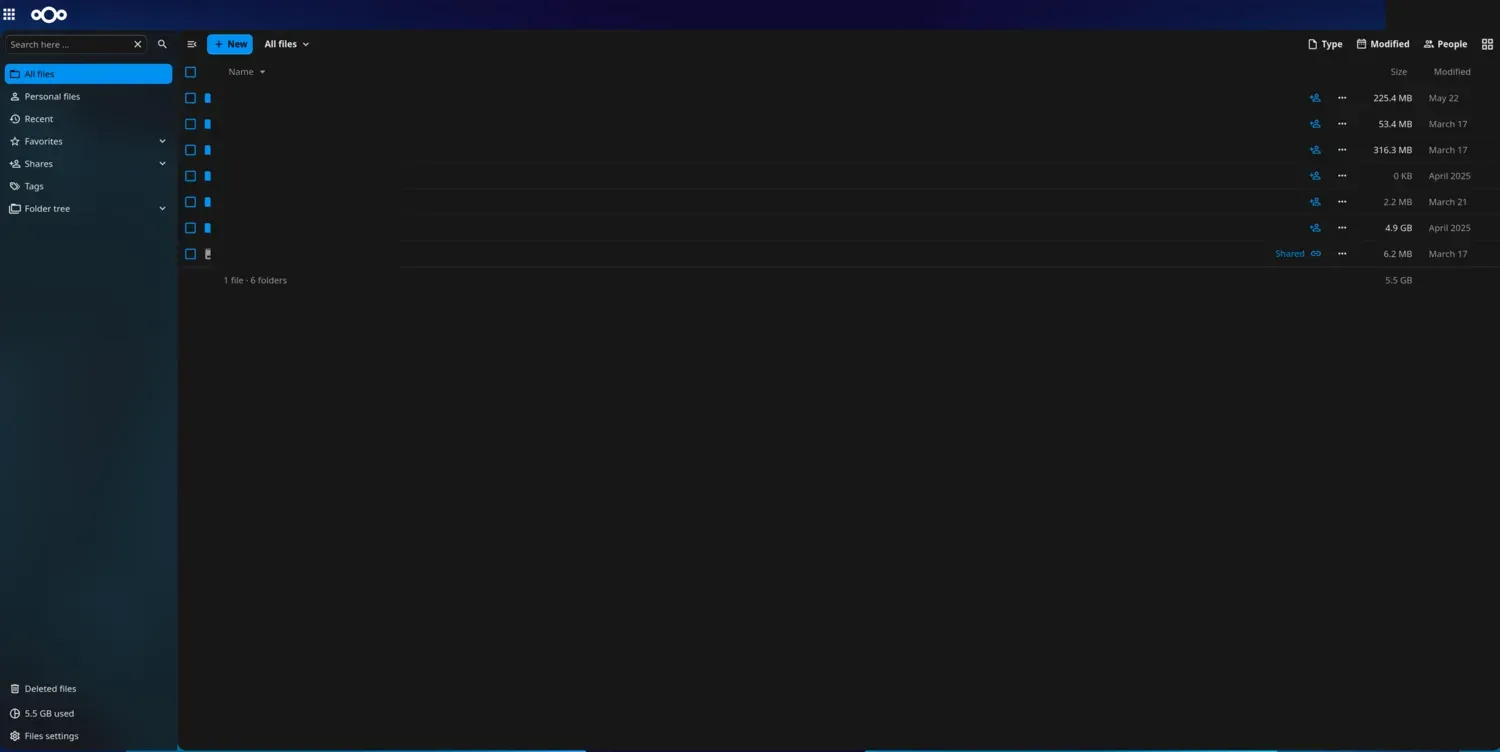
Desktop and mobile clients sync your folders the way Dropbox does, and the files sit on storage you control instead of someone else's cloud. For me the tipping point is having files and document editing in one place I own. I run the all-in-one build, which bundles the database, cache, and the rest into one managed package, and I have OnlyOffice wired in so I can edit documents without leaving it. If you also want calendar, contacts, and notes, they are built in. It is not weightless, though. It is a PHP stack and it wants more memory than the lighter tools, and sharing a file with someone who has no account is clunkier than pasting a Dropbox link. I think the trade is worth it for one hub I own, but only if you will actually use what it bundles. If you just want files synced, you are carrying weight for nothing.
What Dropbox and Drive do well
Dropbox and Google Drive are smooth in the ways that matter day to day. Files sync to every device on their own, a share link is one click, version history is automatic, and you never patch a server. The real value is that you never think about any of it, plus, for Google, the calendar and contacts tied to the same account. So a self-hosted replacement has to match the sync, get close on sharing, and then it earns its keep on price and on the fact that the files are yours.
Nextcloud, Seafile, and Syncthing
Nextcloud is the all-rounder, with desktop and mobile clients that sync folders like Dropbox, plus built-in calendar, contacts, notes, photos, and browser document editing once you add OnlyOffice or Collabora. The cost of all that is weight, which I cover above. Seafile goes the other way. It does file sync and almost nothing else, no calendar, no contacts, no app store, and that focus makes it lean and quick. If you only want to replace Dropbox's file syncing, Seafile is the better tool and it feels faster doing it. Syncthing drops the server entirely and syncs folders straight between your devices, peer to peer, with no central web interface to log into and nothing exposed to the internet. It is great for mirroring the same folders across your laptop, phone, and a home box, as long as you trust those devices and you do not need a web Dropbox you can reach from anywhere.
Plan for more memory than the others
Nextcloud is the hungriest app in this set, so plan for a bit more than you would for the others. Seafile and Syncthing run on almost anything. Storage is just the size of your files, with no real overhead on top.
| Setup | RAM | Reality |
|---|---|---|
| Raspberry Pi 5 / SBC | 4 GB+ | Workable for one or two people, but the full all-in-one stack is a stretch and goes sluggish under load. On a Pi, run Seafile instead. |
| N100 mini PC | 8 GB+ | Comfortable for a household. Nextcloud stays responsive and you have headroom for the extra apps. |
| NAS or server | 8 GB+ | How mine runs, with plenty of room for Nextcloud and everything else and the files sitting on the array. |
Size the disks for your files and your redundancy with the storage calculator, and check the running cost with the homelab power calculator.
Nextcloud vs Dropbox and Drive on price
For 2 TB, Dropbox Plus runs 11.99 dollars a month paid monthly, or about 120 dollars a year on the annual plan, and Google One is 9.99 dollars a month, also about 120 dollars a year. Either way that is roughly 360 dollars over three years for one person's storage, and it never stops. Nextcloud's software is free, so you pay only for the drives and the power. If you already run a server, adding Nextcloud is close to free and the savings stack up fast. If you would be buying hardware just to host files, the upfront cost pushes the break-even out, so run your own numbers in the self-hosting vs SaaS cost calculator, prefilled with the Dropbox Plus price before you commit.
Moving in and keeping it running
Moving in is easy. You install the Nextcloud desktop client, point it at your server, drop your files into the synced folder, and it behaves like the Dropbox client you already know. Calendars and contacts come across through the standard CalDAV and CardDAV exports, so your phone keeps syncing them. The actual work is the first server setup, which the all-in-one build smooths over a lot, and telling the people you share with that the link changed.
Day to day, Nextcloud asks for more upkeep than the lighter apps. It updates a few times a year, now and then an app needs a look after a major version, and the all-in-one handles a good chunk of that for you. Put it on a UPS so a power cut does not catch a sync or an update mid-flight. See what size UPS you need.
When to stay on Dropbox or Drive
Stay on Dropbox or Drive if you want file sync you never think about and one-click sharing with people who will never make an account. If you only need files synced and none of the calendar, contacts, or app extras, do not carry Nextcloud's weight, run Seafile or Syncthing. Nextcloud is the right answer for one case specifically, where you want one self-hosted place for your files and the apps around them, and you do not mind running something heavier to get it. That is exactly why I run it, with OnlyOffice on top for documents.
Questions people ask
Is Nextcloud a real Dropbox replacement?
For syncing and storing your own files across your devices, yes, the clients work much like Dropbox, and it is what I use every day. The one weak spot is sharing with someone who has no account, which is smoother on Dropbox. For your own use it replaces Dropbox completely.
Is Nextcloud heavy to run?
It is the heaviest option here, no way around it. Plan for 2 to 4 GB of memory to make it feel good, more than Seafile or Syncthing need. The all-in-one build bundles the database and cache so you do not have to assemble the stack yourself.
Nextcloud, Seafile, or Syncthing?
Nextcloud if you want files plus calendar, contacts, and apps in one place. Seafile if you want fast file sync and nothing else. Syncthing if you just want your folders mirrored between devices with no server at all.
Can I run Nextcloud on a VPS instead of at home?
Yes, and it is a reasonable choice for a smaller library. Just watch the cost of VPS storage as your files grow, because cloud disk is far pricier per terabyte than a drive at home.
Does Nextcloud do calendar and contacts?
Yes, both are built in and sync to your phone over CalDAV and CardDAV. That is one reason to pick it over a files-only tool like Seafile.
Dropbox is a trademark of Dropbox, Inc. Dalil Tech is not affiliated with or endorsed by it.