I earn commissions when you sign up or buy through the affiliate links on this page, at no extra cost to you.
Homelab · Alternative · By Mohammed Almuhanna · Updated
Self-Hosted Plex Alternative: Jellyfin
Plex spent 2025 and 2026 turning remote streaming of your own library into a paid feature, and on July 1, 2026 the lifetime Plex Pass jumped to 749.99 dollars, up from 250 the year before and 120 before that. I run Plex and Jellyfin side by side on the same server, so I am not guessing from the outside. I got tired of paying to watch files I already own. Jellyfin does the same core job for free, open source, no account, nothing behind a paywall, and I lean Jellyfin now.
Paying to watch my own files
Plex is still free to play your library inside your own house. What it locked away is remote streaming, watching your own movies and shows when you are away from home. That now needs a paid plan; the full price breakdown is in the cost section below. Run Jellyfin. It serves your movies, shows, and music to every screen in the house, pulls artwork and metadata on its own, and never asks you to sign in to an account you do not control or to pay to reach files you already own.
It is not all upside. The official mobile apps are rougher than Plex's, the iOS one most of all, and you set up remote access yourself instead of flipping a toggle. If your whole household already streams Plex on five TVs and you would rather not become the help desk, paying Plex buys a quieter life. For everyone else Jellyfin is the better deal in 2026, and it is what I would install.
What Plex still does better
Give Plex its due. The apps are slick on phones, smart TVs, and consoles. Remote streaming used to be one toggle. It pulls clean posters and metadata without help, and sharing a library with family is easy. Playing a file was never the hard part for any of these tools. The polish and the no-effort remote access are where the real engineering went. Jellyfin matches most of it, and I will tell you where it does not.
Jellyfin, and why I lean on it
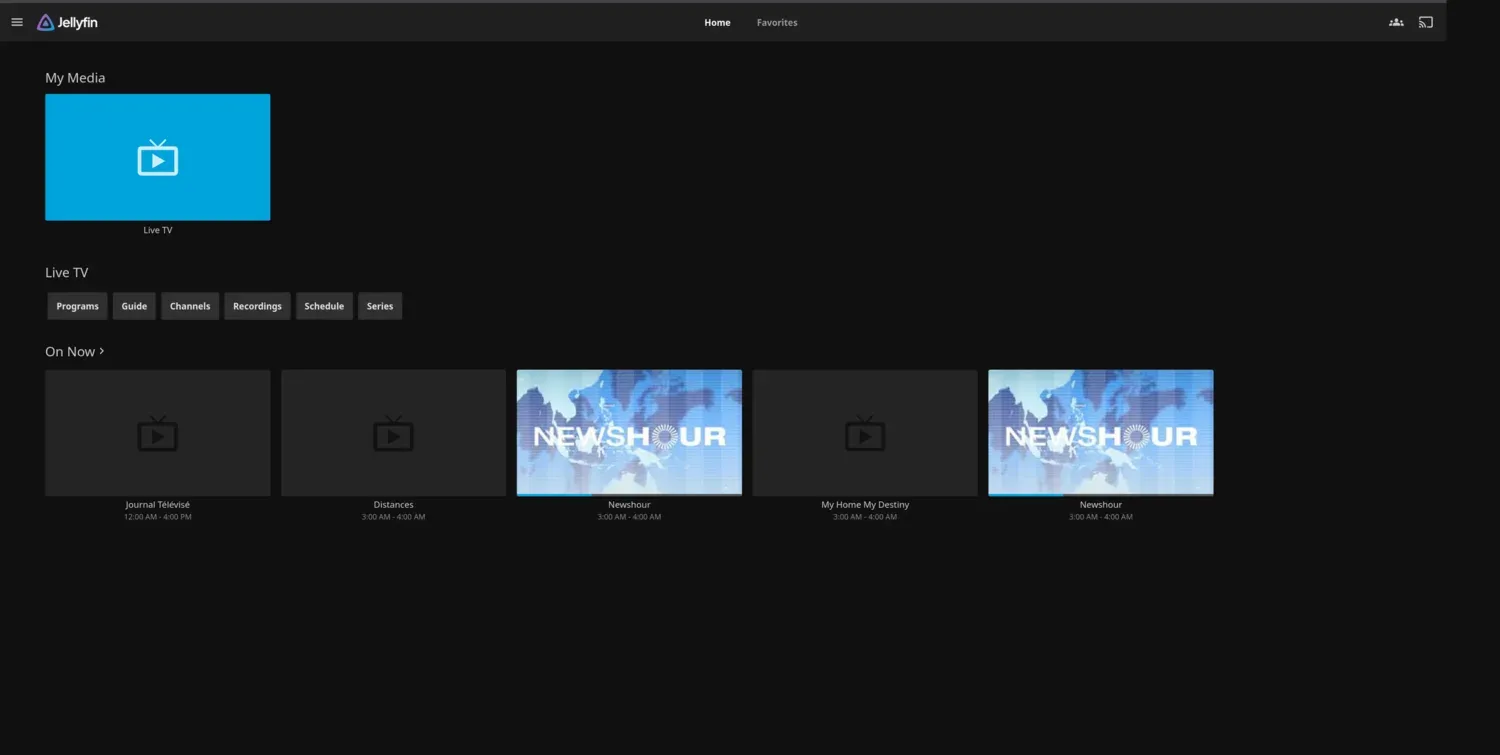
Jellyfin is a full media server with a web app, official Android and Android TV apps, and strong third-party clients like Swiftfin on Apple devices, Streamyfin, and Findroid. It reads the same library folders Plex wants, so your files never move. It does hardware transcoding through Intel QuickSync, NVIDIA NVENC, or VAAPI, which is what lets one box re-encode a 4K file on the fly for a weaker client. On my server transcoding goes to the RTX 3080 over NVENC. That is far more GPU than a media server needs, so it is instant for me. The rough edges are real. The iOS app is the weak link, so most people run Swiftfin or Infuse instead, and you arrange your own remote access with a reverse proxy or something like Tailscale. I keep Plex up alongside it, because it still has the smoother living-room apps and the easier remote setup. Jellyfin is the one that is entirely mine and costs nothing, and that is why it gets my vote.
Emby, the half-paid middle
Jellyfin was forked from Emby back in 2018, and Emby is still around as the middle option. It feels a touch more finished than Jellyfin in places, but the parts you actually want, hardware transcoding and mobile sync, sit behind Emby Premiere. Go Emby if you want a little more polish and do not mind a fee. Go Jellyfin if you want nothing paywalled, ever. I lean Jellyfin, because paying a fee to dodge one paywall and land on another is not my idea of a fix.
Transcoding, and the box that runs it
Jellyfin is light most of the time. When a client can play a file directly, the server just sends the bytes and barely touches the CPU. The heavy work is transcoding, and that only kicks in when you stream to a device that cannot play the original format, or when you watch from outside the house on a capped connection. The cheap and correct answer there is Intel QuickSync. Any recent Intel chip with built-in graphics, like an N100 mini PC, handles several 4K transcodes at once for a few watts. A dedicated NVIDIA GPU works too, it is just overkill for most libraries. Mine is overkill, and I run it anyway because the box was already sitting there.
| Setup | Transcoding | Reality |
|---|---|---|
| Raspberry Pi 5 / SBC | Weak | Great if every client direct plays. No real transcoding muscle, so remote streaming to odd devices will struggle. |
| N100 mini PC | Intel QuickSync | The sweet spot. QuickSync chews through multiple 4K transcodes cheaply, idle power is tiny, and it costs less than a year of Plex Pass. |
| NAS or server with a GPU | NVIDIA NVENC | An RTX-class GPU makes transcoding instant and is far more than a normal library needs. This is the box I happen to run, and it only earns its place because it already existed. |
Storage is the simple part. Budget the size of your media and little more, since Jellyfin carries none of the thumbnail overhead Immich does. Size the array with the storage calculator and check the running cost with the homelab power calculator.
How the Plex Pass price actually compares
Plex is still free for playback inside your own home. What changed is remote streaming of your personal library, which now needs a paid plan. That is a Plex Pass at 6.99 dollars a month or 69.99 a year, or a cheaper Remote Watch Pass at about 2.99 dollars a month. The lifetime Plex Pass, which climbed from 120 to 250 dollars in 2025, jumped again to 749.99 dollars on July 1, 2026. Those are the Plex prices as of mid 2026, so check Plex's own page for the current figures. Jellyfin is free, remote streaming included, no plan and no account. If the only reason you were going to pay Plex is to watch your own files away from home, Jellyfin deletes that bill outright. To see how a Plex Pass stacks up against running Jellyfin on hardware you own, put the numbers into the self-hosting vs SaaS cost calculator, prefilled with the Plex Pass price.
Moving your library off Plex
Your files stay exactly where they are, which is the part people worry about for no reason. Jellyfin wants the same folder layout Plex does, so you point a fresh install at the same library folders and it scans everything in. What does not follow you over is your Plex watch history and your user setup, so you start clean on what has been watched and re-add the people you share with. Community tools try to import watch state, but I would treat a clean start as the default and skip the headache. The friction that actually bites is not the server. It is getting the household onto a new app and standing up remote access with a reverse proxy or Tailscale.
Day to day, Jellyfin updates regularly, plugins add things like better metadata or intro skipping, and there is no account to manage. When it breaks you fix it, with the docs and a large community instead of a support line. Put it on a UPS so a power blip does not kill a stream or a library scan. See what size UPS you need.
When paying Plex is the right call
Stay on Plex, and pay for it, if your family streams to a pile of different TVs and consoles from outside the house and you need it to just work without you in the loop, or if everyone is already settled into the Plex apps and a new interface means support calls land on you. Plex buys polish and hands-off remote access. Jellyfin asks for a little setup and hands you a rougher iOS app, and in return it is free forever with nothing paywalled. If you mostly watch at home, or you do not mind a one-time setup, the paid case for Plex gets thin fast.
Common questions
Is Jellyfin really completely free?
Yes. Jellyfin is open source and free, including remote streaming and hardware transcoding. There is no premium tier, no account, and no paywall.
Can Jellyfin do hardware transcoding?
Yes, through Intel QuickSync, NVIDIA NVENC, or VAAPI, at no cost. The equivalent on Emby and Plex sits behind a paid plan. QuickSync on a cheap Intel chip is enough for most people.
Can I watch Jellyfin away from home?
Yes, for free. You set it up yourself with a reverse proxy or a mesh VPN like Tailscale. This is the one thing Plex made easier and now charges for.
Does my Plex watch history transfer?
Not cleanly. Your media files carry over since Jellyfin reads the same folders, but watch history and users do not. Community tools exist, but plan on starting fresh.
Plex is a trademark of Plex GmbH. Dalil Tech is not affiliated with or endorsed by it.