Homelab · Guide · By Mohammed Almuhanna · Updated
What My Homelab Actually Costs to Run
I never turn anything off unless I am doing maintenance. A Synology NAS, a Proxmox server, a 10-gig switch, a workstation I use hard, two 32-inch monitors, and a 3D printer all run 24/7. Here is what that actually costs me, itemized down to the device, with my real electricity bill behind it. I also live where power is cheap, so the same gear would cost noticeably more almost anywhere in the West, two to four times as much across much of Europe, and I will show you that math too.
The always-on setup
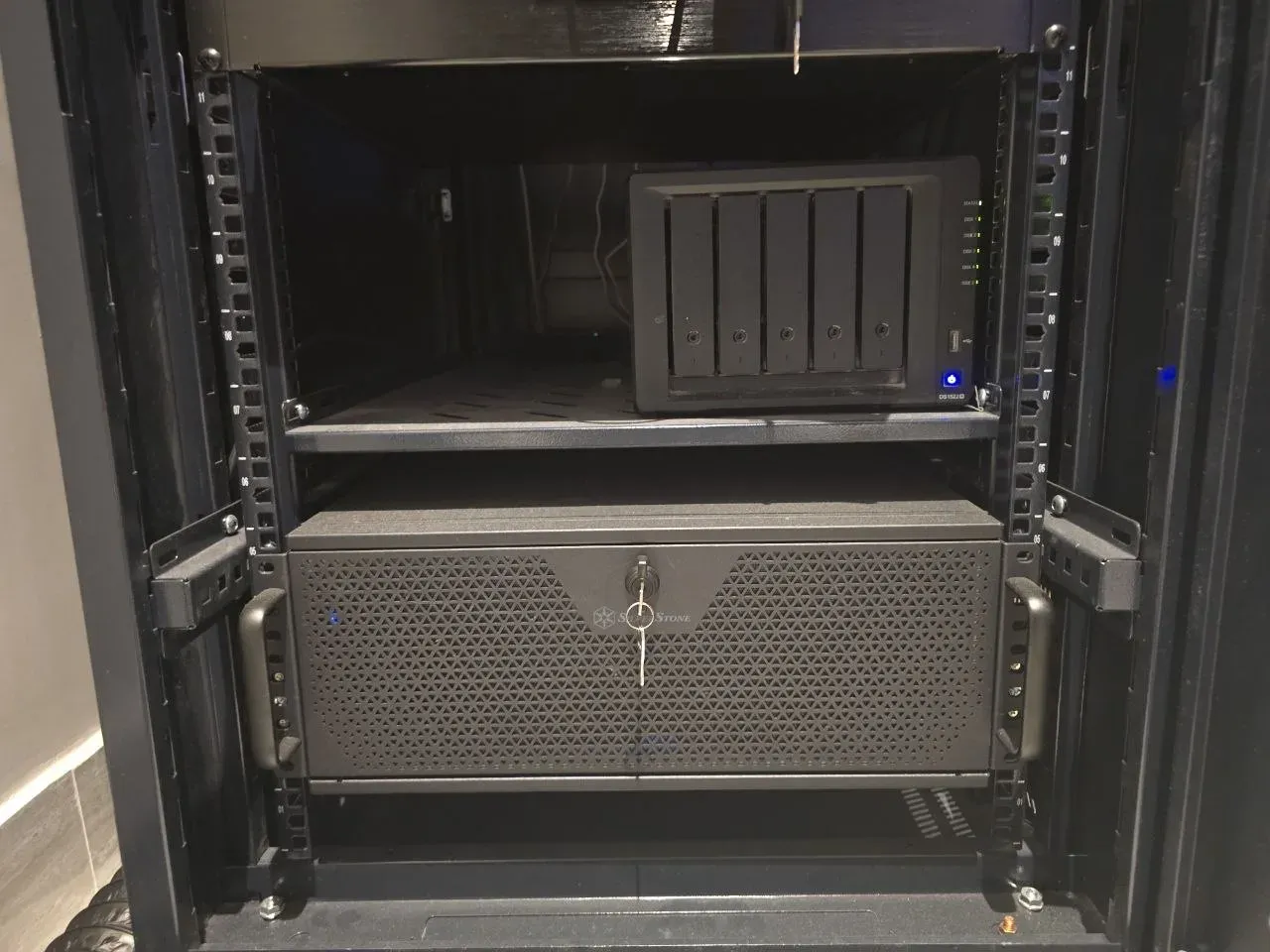
Everything in my rack and on my desk stays on around the clock. I only power something down for maintenance. Here is what draws power every hour of every day:
- A Synology DS1522+ with five 12 TB drives and a 1 TB cache SSD, holding everything.
- A Proxmox server built from an old gaming PC (i9-9900K, RTX 3080) running a stack of Docker containers, a couple of small local LLMs, and a Minecraft server.
- A UniFi Pro Max 16 PoE switch, tying it together over 10 gigabit.
- My main workstation (Ryzen 9800X3D, RX 9070 XT, 64 GB, four hard drives, two NVMe SSDs) driving two 32-inch monitors. It stays on around the clock, but it is only working hard when I am gaming or building and testing software.
- A Bambu Lab H2S with an AMS 2 Pro, mostly printing ASA, running roughly a third of the time.
All three machines have 10GbE network cards. Those add a few watts each, and most people forget to count them.
The watts, itemized
I do not own a plug-in power meter, so every number here is a careful estimate for this exact hardware, not a metered reading. The NAS and the switch are easy to pin down and barely move. The desk is the variable part. My workstation idles around 130 watts most of the time, then climbs past 440 when I am gaming or hammering a build, so I bill it at a blended 200 rather than its peak, because billing the peak around the clock would be a lie. The two monitors sleep when I step away, so they get a blended figure too. Those desk numbers are the softest estimates here, and they swing with how I actually use the machine. The rack, the part that genuinely never sleeps, is the solid number.
| Device | Watts | kWh / month | Cost / month |
|---|---|---|---|
| Proxmox server (i9-9900K, RTX 3080, 10GbE) | 130 | 95 | $9 |
| Synology DS1522+ (5x 12TB + SSD cache, 10GbE) | 52 | 38 | $3 |
| UniFi Pro Max 16 PoE (no PoE load, 10G uplinks) | 28 | 20 | $2 |
| Main workstation (9800X3D, RX 9070 XT, 4 HDD, 2 NVMe, 10GbE) | 200 | 146 | $13 |
| Two 32-inch displays (4K 240Hz QD-OLED + 1440p 140Hz) | 70 | 51 | $5 |
| Bambu H2S + AMS 2 Pro (avg, prints ~35% of the time) | 100 | 73 | $7 |
| Homelab (server + NAS + switch) | 210 | 153 | $14 |
| Everything always on | 580 | 423 | $39 |
The bill, and the rate that actually matters
This is the real part. This month the whole house used 6,461 kWh and the bill was 1,412.6 SAR (about $377). That is a big number, and almost all of it is a large household running air conditioning through a Gulf summer. It is not the rack. Do not read that whole-house total as what my homelab draws, because it is nowhere close.
What I do take from the bill is the rate. Divide it out and the average lands around 0.219 SAR per kWh, roughly $0.058. The average is the wrong number to cost the homelab at, though. Residential power here is tiered. Everything up to 6,000 kWh in a month is cheap, and everything above that jumps to the top tier at 0.30 SAR, about $0.08, before VAT. I am already over 6,000 kWh, so my always-on gear is not billed at the average. It is billed at the top marginal tier, the most expensive power I buy all month. With 15% VAT that works out to about $0.092 per kWh, and that is the rate to cost the homelab at. Most people quote their average rate and quietly undercount what their 24/7 gear really adds.
Even at that marginal rate, the homelab proper lands around $14 a month. Add the workstation and the two displays and the whole always-on setup is about $39. For everything it runs, that is cheap, and I am not going to pretend otherwise.
What the same setup would cost elsewhere
This is the part worth sharing. My always-on gear pulls about 423 kWh a month. Drop that same figure onto typical residential rates around the world and the gap is hard to ignore:
| Where | Rate / kWh | Cost / month |
|---|---|---|
| Here (Gulf, top tier + VAT) | $0.09 | $39 |
| United States (avg) | $0.17 | $72 |
| United Kingdom | $0.33 | $140 |
| Germany | $0.40 | $169 |
Same hardware, same hours, same workload. About $39 here, near $72 in the US, $140 in the UK, and $169 in Germany. The hardware does not care where it lives. The electricity rate is the whole difference, and it is why "just leave it on" is an easy call for me and a real monthly decision for a lot of people reading this.
Where the watts actually go
Two things fall out of this, and they are the opposite of what most people assume. First, the NAS and the switch are rounding errors. Five spinning drives and a 10-gig switch together draw less than the single server, so the gear people obsess over barely moves the total. Second, the compute dominates, and the machine with the graphics card moves the bill more than anything. Not because it is pulling 440 watts around the clock, it is not, but because every hour I run it hard is worth several idle hours of the rest of the rack. So if you want to cut a setup like this, do not start with the disks. Start with the GPU machine, and ask yourself honestly how many hours it really needs to be awake and working.
The 3D printer, idle versus printing
The 3D printer is the one device here with a real duty cycle, so it is worth showing the work. Idle, the Bambu H2S and its AMS 2 Pro draw around 30 watts. An actual ASA print is far hungrier, roughly 240 watts, because ASA wants a hot bed and a heated chamber, plus the 4-inch fan I use to vent the fumes outside. I print somewhere around a third of the time, so blended over a month it averages out to about 100 watts. That blended average is the figure I put in the table, not the idle floor and not the printing peak, because the average is the only number worth billing it at.
Even so, the real point about 3D printing power holds. Per print it is almost nothing, single-digit cents of electricity at my rate. Printing as much as I do, it still only adds a few dollars a month, and almost all of that is the heated chamber for ASA. The thing that actually costs you on a print is the filament, the prints that fail, and your time, not the power. I worked that out separately in what a 3D print really costs, and you can price a specific one with the 3D print cost calculator.
Work out your own
Your rate and your hardware are not mine, so do not trust my dollar figures. Trust the method instead, which is just watts times hours times your rate. Plug your own devices into the homelab power and electricity cost calculator and it does the math for you, including the per-device breakdown. And if you want real numbers instead of estimates, do the thing I have not gotten around to yet: put a $20 plug-in energy meter on each device for a day. It will tell you the truth, and the truth is usually higher than the spec sheet suggests. For the bigger picture on running cost, see how much it costs to run a homelab.
Common questions
How much power does a typical homelab use?
A small always-on box can sit under 20 watts, while a full server with drives and a GPU can pull well over 100. My rack (NAS, Proxmox server, and switch) averages around 210 watts, or roughly 150 kWh a month. The single biggest variable is whether there is a graphics card involved.
Does a NAS use a lot of electricity?
Less than people expect. A five-bay Synology with spinning drives draws around 50 watts in normal use, which is a small slice of a homelab's total. The drives and the switch are rounding errors next to anything with a CPU and GPU running real work.
Should I turn my homelab off to save power?
If it serves things you actually use, leave it on, the convenience is worth it. I never turn mine off except for maintenance. The one case where I would change my mind is a box that sits mostly idle while you pay a high rate. Then sleep or schedule the hungriest machine, the one with the GPU, because that saves far more than ever fiddling with the NAS.
Why use the marginal electricity rate instead of the average?
Because 24/7 gear is added load on top of everything else you use. If tiered pricing or a high top tier applies, those extra kilowatt-hours bill at your most expensive rate, not your blended average. Costing always-on hardware at the average rate undercounts what it really adds to the bill.