I earn commissions when you sign up or buy through the affiliate links on this page, at no extra cost to you.
Homelab · Alternative · By Mohammed Almuhanna · Updated
Self-Hosted ChatGPT Alternative: Ollama and Open WebUI
A 10 GB graphics card runs models in the 7 to 14 billion parameter range, the Llama, Qwen, Gemma, and Phi families, and not one of them touches GPT-5 or Claude on hard work. That is the ceiling, and most pages on this topic skip it. What local models are good for is small quick tasks, total privacy, and running them as much as you want for nothing. I run a private ChatGPT-style assistant at home with Ollama and Open WebUI on an RTX 3080, and nothing I type leaves the house. I also pay for an API. Local handles the quick and private stuff, the API handles the hard problems. This page is about where that line sits, and when the 20 dollar subscription is simply the better buy.
Where the ceiling sits
Run Ollama with Open WebUI if you want a private assistant for small quick tasks and you have a GPU with at least 8 GB of memory, or the patience to run small models on a CPU. It handles fast questions, quick rewrites, short summaries, and throwaway text, all on hardware you own. The ceiling is the thing to be clear-eyed about. A local model on consumer hardware does not match GPT-5 or Claude on anything demanding, so it will not replace a frontier subscription for hard work. That is why I run both. Local for the quick private stuff, a paid API for the real problems, which beats forcing yourself to pick one.
What a ChatGPT subscription actually buys
A ChatGPT Plus subscription buys you the frontier. The answers are the best you can get, it browses the web, runs tools, makes images, and the apps are clean on every device. It costs 20 dollars a month. Every prompt you send leaves your machine and lands on OpenAI's servers, and for a lot of people that last part is the sticking point, whether for privacy, for confidential work, or on principle. A local setup has to be good enough for your real tasks, and in return everything stays on your own hardware.
Ollama, LM Studio, or a hybrid
Ollama and Open WebUI
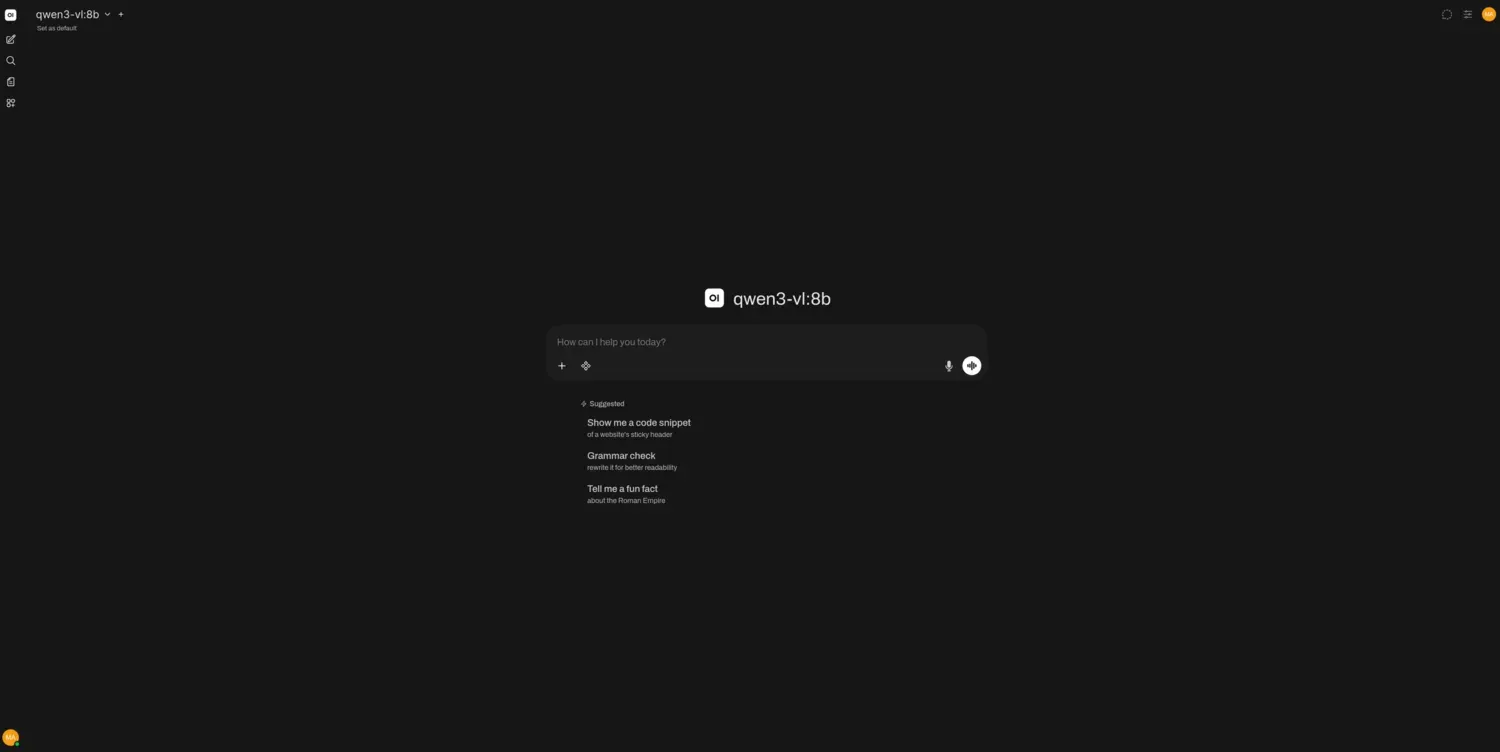
Ollama is the engine that downloads and runs open models locally with one command. Open WebUI is the front-end that turns it into a clean ChatGPT-like chat in your browser, with conversations, system prompts, and multiple models. I run both in Docker on my Proxmox box, on the VM that has the RTX 3080 passed through, and a 10 GB card like that comfortably runs the 7 to 14 billion parameter models. That covers the Llama, Qwen, Gemma, and Phi families, which are the right size for quick local work. The ceiling is still there. Even the best model that fits a card this size is nowhere near a frontier one, quality scales with how much video memory you have, and you are the one pulling new models and keeping the stack updated. None of that is hard. It is just yours to do.
LM Studio
If you only want local AI on your own desktop and do not care about serving it to other devices, LM Studio bundles the model runner and a chat interface into one download. It is the easiest way in. It is a local program rather than a self-hosted service, so reach for it when one machine is all you need.
Open WebUI with a paid API key
This is what I actually do. Run Open WebUI for the private interface, point it at a paid API from OpenAI or Anthropic for the hard questions, and point it at your local Ollama for the quick ones. You give up full independence, but you get frontier quality on demand inside an interface you control. For most people this is the right answer. Local handles the small tasks for free, and the API is there when the work gets hard.
Closing the gap with add-ons
Plain chat is not all you get. Open WebUI plugs into other self-hosted pieces that close part of the gap with ChatGPT, with nothing leaving your network. Pair it with SearXNG, a self-hosted search engine, and your local assistant pulls live web results the way ChatGPT browses. Point it at your own files and it answers questions from them, the trick called retrieval (RAG), so you can ask about documents without uploading them anywhere. Wire in a local image model and it makes pictures too. None of this raises the reasoning ceiling, because the model underneath is still a small local one. What it does is turn the setup into something closer to a full assistant than a bare chatbox, with everything kept on your hardware.
Hardware decides everything
This is the one app in the series where the hardware decides everything. The number that matters is GPU memory (VRAM). Bigger models need more of it, and the more capable models are bigger. A model runs on a plain CPU too, it is just much slower, which is fine for the odd question and painful for real back-and-forth.
| Setup | VRAM | Reality |
|---|---|---|
| CPU only | None | Runs small models, but too slow for a real conversation. Fine for trying it out and not much else. |
| RTX 3060 / 3080 class | 8 to 12 GB | Where I sit. Handles the 7 to 14 billion parameter models that cover most daily tasks, at a speed that feels live. |
| RTX 4080 / 4090 class | 16 to 24 GB+ | Runs the larger 30 billion parameter models and longer contexts. Worth it only if you push local AI hard. |
A GPU pulls real power while it generates, so this is the rare self-hosted service where electricity is a genuine line item. Check yours with the homelab power calculator. If you are weighing a card you own against renting a GPU by the hour, I worked through that in local LLMs versus a cloud GPU.
The money, front-loaded
ChatGPT Plus is 20 dollars a month, so 240 dollars a year and 720 over three years, and it has held that price for years while getting better. Self-hosting flips the cost to the front. The software is free, but a capable GPU is a real upfront purchase, the card draws a little at idle, and it pulls a few hundred watts while it generates. If you only reach for AI now and then, a subscription or even the free tier is cheaper and smarter than buying a graphics card. Local wins when you lean on it for quick everyday tasks, when you flatly refuse to send your prompts to a company, or when you already own the GPU for gaming or other work. Put your own numbers and your power rate into the self-hosting vs SaaS cost calculator, prefilled with the ChatGPT Plus price to see where you land.
Why I actually run it
Take away the money and the speed and what stays standing is privacy. Everything you type stays on your hardware, so you can hand it private notes, a confidential document to summarize, or text you would never paste into someone else's cloud, and not think twice. No usage caps, and no training on your data, because nobody else is in the loop. No subscription offers that at any price, and for some people it is the only thing that matters. It is why I run it.
Getting it running
There is nothing to migrate, since this is a fresh assistant and not a service you are moving over. You install Ollama, pull a model with one command, run Open WebUI in a container, and point it at Ollama. A few minutes later you have a private chat in your browser. After that you try a few models and keep the one that fits your hardware and your work.
When to just pay for ChatGPT
Skip this if you need the smartest possible answer for genuinely hard work, like heavy reasoning or large coding jobs. The frontier hosted models beat anything you can run at home, and a 20 dollar subscription is the cheaper way to reach them. Skip it too if you have no GPU and no patience for a sluggish CPU. Self-host AI when privacy matters to you, when you use it enough that unlimited local use pays off, or when you already have the graphics card and want more out of it.
Common questions
Is a local model as good as ChatGPT?
No, not for anything demanding. A local model on consumer hardware is useful for small quick tasks, a fast question, a quick rewrite, a short summary. For anything demanding it is far behind the frontier hosted models. Use it for the quick stuff and the privacy, not as a full ChatGPT replacement.
What GPU do I need to run local AI?
A card with 8 to 12 GB of memory hits the sweet spot and runs the popular 7 to 14 billion parameter models well. More memory means larger, stronger models. The amount of VRAM matters more than raw speed.
Can I run it without a GPU?
Yes, on the CPU, with small models. It works for the odd question but is too slow to enjoy for a real conversation. A GPU is what makes it feel live.
Is a self-hosted assistant actually private?
Yes. With Ollama and Open WebUI the model runs entirely on your hardware, so your prompts never leave your network and nothing is used to train anyone's model. That is the main reason to run it.
Can a local assistant search the web?
Yes. Pair Open WebUI with SearXNG, a self-hosted search engine, and your local model pulls live web results, much like ChatGPT browsing. You can add document search and image generation the same way, with other local pieces, all kept on your own hardware.
Which models should I run?
The open Llama, Qwen, Gemma, and Phi families are the usual picks. Choose a size that fits your VRAM, and lean toward Qwen for coding. Try two or three and keep the best one for your hardware.
ChatGPT is a trademark of OpenAI. Dalil Tech is not affiliated with or endorsed by it.